

Students & schools
A whole class,
one computer each
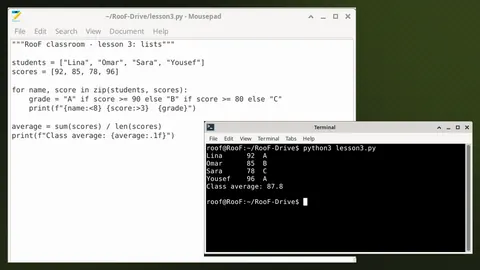
Create a class and share the link: every student gets an isolated Linux computer from their browser, and you see everyone on the screen wall.
 1
1 2
2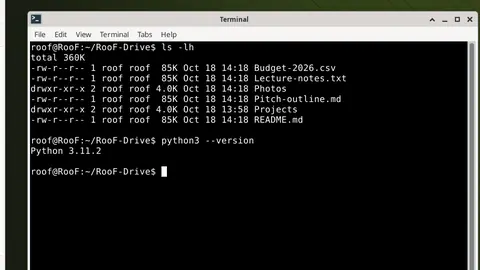 3
3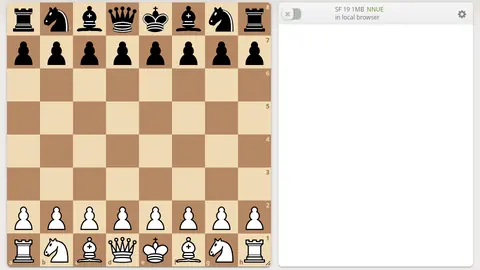 4
4Up to 30 seats
One link for students, each in their own computer.1
Screen wall
Watch the whole class’s screens in one place during the lesson.
View-only supervisor link
For a parent or supervisor: they watch but cannot control, enforced on the server.2
Who pays?
The teacher for the whole class, or each student: $0.05 per seat-hour.3
Three steps
From idea to lesson in a minute
- Step 1
Create the class
Pick a name and who pays.
- Step 2
Share the link
One link or a QR code for students.
- Step 3
Start the lesson
Each student in their own computer; you see everyone.
Example30 students × 1 hour × $0.05=$1.50for a full lesson at today’s price3
Works today
- A Linux desktop with Python, a text editor and a terminal
- A Firefox browser inside each computer
- Start and stop the lesson from the class page
Not available yet
- No Windows or Office inside the computers yet.
- Uploading from the session toolbar is coming; today files are kept in RooF-Drive for account holders.

Your next computer isn’t at home
A full computer in seconds, with no card and nothing to install.
Sources for these numbers
- Classroom seat limit on the RooF server
- The RooF server drops every key, mouse move and paste that comes from a supervisor link, even from a modified browser
- Classroom seat hourly price as set on the RooF server